

Prerequisites
Before you begin, ensure that you have the following:- Node.js installed on your system.
- Bruno installed.
Project structure
The folder structure depends on your collection format.Starting with Bruno v3.1.0, YAML (OpenCollection format) is the default file format when creating new collections. Learn more about create collection here.
- YAML Collections (v3)
- Bru Collections
bruno-collection
external-lib
echo-api.yml
auth.yml
data.csv
package.json
opencollection.yml
.gitignore
node_modules
Configuration
You need apackage.json file at the root of your Bruno collection.
- Open your collection folder in Bruno or in an editor such as VS Code.
- Open the integrated terminal (in Bruno or your editor) and go to the collection root:
- Initialize
package.json:
- Install the package (run this in the same terminal, from the collection root):
- Confirm
csv-parseappears underdependenciesinpackage.json, for example:
- In Bruno, enable Developer Mode for the collection so
require()can load packages fromnode_modules.
Example: Parse CSV with csv-parse
This example uses csv-parse ↗ to turn CSV text into JavaScript objects, then sends the first row as JSON on the request. See the npm package page ↗ for options, streaming APIs, and more. Use a Pre Request script with Developer Mode on: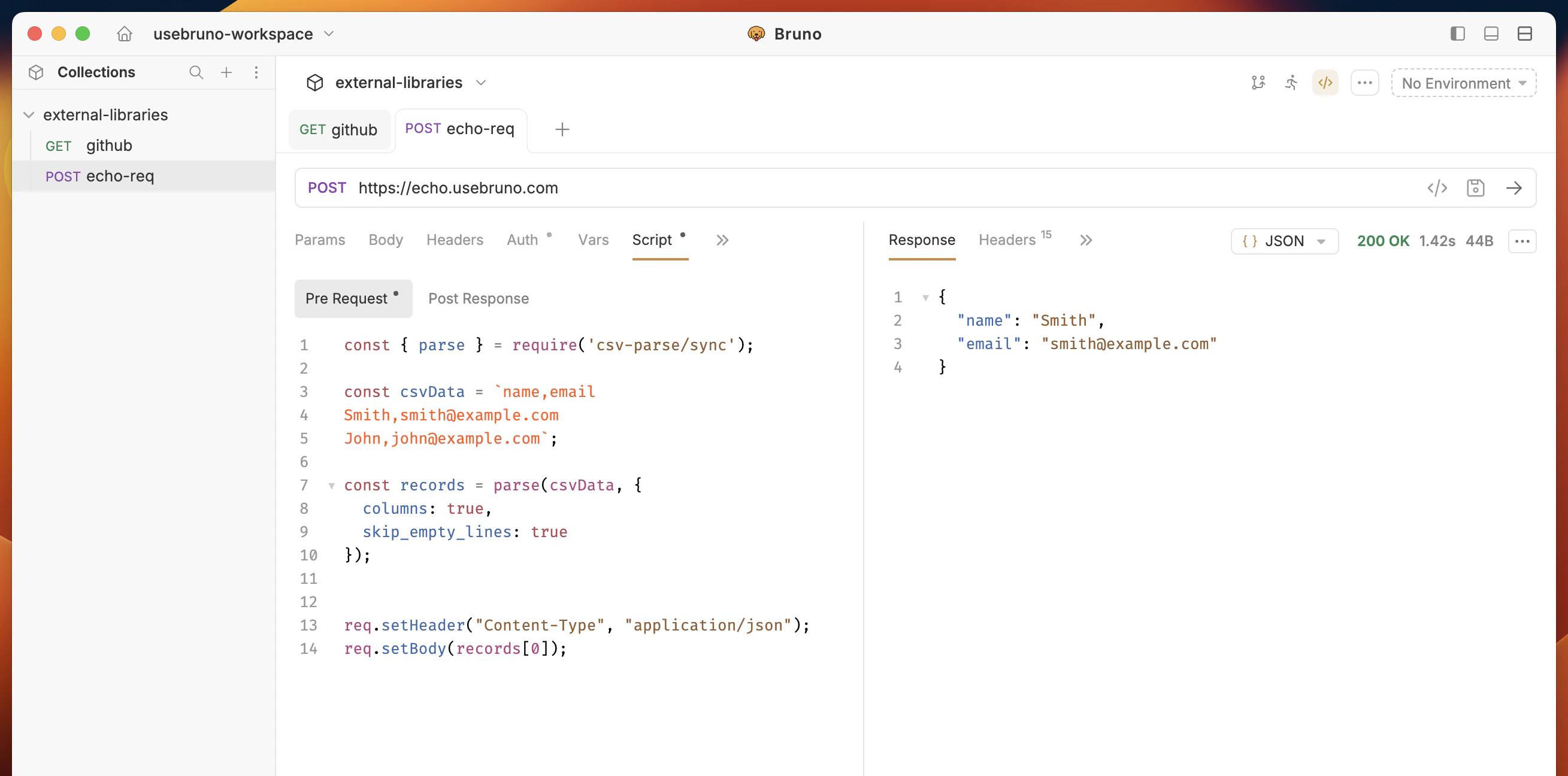
records[0] is the first data row as an object (for example { name: 'Smith', email: 'smith@example.com' }) because columns: true uses the first line as headers.
Reading CSV from a file
You can also pass CSV from a file in your collection (path is relative to the collection root):.csv file.